Quishing in 2026: How QR Code Phishing on Parking Meters and Email Steals Your Logins (and How to Stop It)
Disclaimer: This article is for general educational purposes and reflects the threat landscape as of May 2026. It is not legal, compliance, or professional security advice. If your organization has suffered a confirmed fraud or breach, contact your bank, local law enforcement, and where appropriate report to the FBI Internet Crime Complaint Center (IC3). Always confirm payment destinations and login pages through an official channel you already trust rather than one presented to you by a code, link, or message.
Last month a restaurant owner I do occasional consulting work for sent me a photo of his own table tent. Someone had walked into his place, peeled back the corner of the laminated card with the "Scan to view menu" QR code, and stuck a near-identical sticker on top. The fake code pointed to a page that looked like his ordering system but quietly asked for a card number "to hold your table." He only noticed because a customer complained about a charge that never appeared on his books. That is quishing, and in 2026 it has stopped being a curiosity and become one of the cheapest, most effective attacks against ordinary people and small businesses.
What quishing actually is
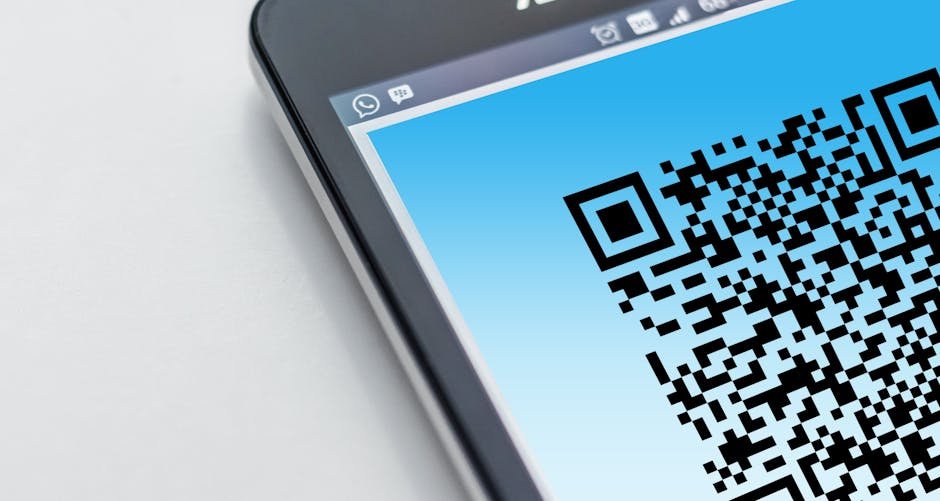
Quishing is a blend of "QR code" and "phishing." Instead of putting a malicious link in an email where a spam filter or a careful reader might catch it, the attacker hides that link inside a QR code. When you point your phone at the code, the camera resolves it into a URL and offers to open it. The destination is usually a convincing copy of a login page, a payment form, or a malware download. The trick works because a QR code is unreadable to humans. You cannot glance at a block of black-and-white squares and spot a misspelled domain the way you can with a written link.
Three things make this attack work in 2026. First, QR codes moved you from a monitored device to an unmonitored one. A code in an email opens on your phone, which usually has none of the email-security filtering your laptop or company mailbox does. The FBI describes this plainly: quishing forces victims "to pivot from their corporate endpoint to a mobile device, bypassing traditional email security controls." Second, QR codes are now normal. We scan them for menus, parking, tickets, and Wi-Fi without a second thought. Third, they are trivially cheap to deploy. A printed sticker costs pennies.
The numbers are not small anymore
This is no longer a fringe technique. Microsoft analyzed 8.3 billion phishing threats in the first quarter of 2026 and reported that QR-code phishing surged 146% in a single 90-day window. By their count, roughly 12% of all phishing attacks in 2025 already carried a QR code, and there was a 336% jump in March 2026 in codes delivered directly inside the email body rather than as an attachment, sidestepping attachment scanners entirely. One large US energy company found that 29% of more than 1,000 flagged emails contained a malicious QR code.
The consumer side is just as ugly. The FBI's 2025 IC3 Annual Report logged 1,008,597 complaints and $20.877 billion in reported losses, a 26% rise in losses year over year. The FTC separately recorded a record $15.9 billion in fraud losses for 2025. QR codes feed directly into that total: in July 2025 the IC3 issued a public service announcement about criminals mailing unsolicited packages containing QR codes that, once scanned, harvest personal and financial data or push malware onto the phone. And one behavioral statistic explains why all of this works — research cited across the industry in 2026 suggests roughly 73% of people scan a QR code without checking the URL it resolves to first.
Where you will actually run into it
Parking meters and pay stations. The most reported physical version of 2026. Criminals print professional-looking stickers and paste them over the legitimate code on a meter. The fake page mimics the city parking app and collects your card. UK local authorities warned earlier this year that meter quishing had become common enough that any QR code on a parking meter should be treated as suspect.
Restaurant tables, posters, and EV chargers. Same sticker-over-sticker tactic, anywhere a business has trained the public to scan something in a semi-public, unattended spot.
Email, especially "a document is waiting for you." The corporate classic: an email claims an important file or a payroll update is sitting in your Microsoft 365 or Google Workspace account, and you must scan the code to open it. The code leads to a fake login page that captures your username, password, and often your one-time MFA code in real time.
Unsolicited packages. The IC3-flagged scam: a parcel you did not order arrives with a QR code and a note to "scan to arrange a return" or "confirm delivery." Scanning starts the data-harvesting flow.
What I have learned building payment systems
In my experience building point-of-sale and payment-terminal software at Warung Digital Teknologi, the uncomfortable truth is that the QR code itself carries zero trust signal. When I designed the QR-payment flow for one of our Smart POS deployments, the single most important decision was making the merchant and amount appear on the customer's screen from our backend after the scan, not from anything encoded in the QR. A static QR sticker is just a pointer. It can point anywhere. The security has to live in what happens after the scan — on a server you control and a confirmation screen the user can read — never in the code on the wall.
That is the mental model I would urge anyone to adopt. Treat a QR code exactly like a link handed to you by a stranger, because that is what it is. Across the 50+ projects we have shipped, every time a client assumed "the QR is secure," what they actually meant was "the system behind the QR is secure" — and only if nobody swapped the sticker. The sticker is the weakest link, and it is the one part of the system you do not control.
One concrete number from our own operations: across the seven content and aggregator sites I manage, the credential-phishing attempts we see in inbox logs increasingly arrive as image-embedded QR codes rather than text links, precisely because the text-link versions get filtered. The attackers are not more sophisticated; they have just moved the payload into a format the filters do not read. That shift is the whole story of 2026.
How to defend yourself — practical steps
Before you scan anything physical
- Run a fingernail along the edge. A legitimate code is printed onto the surface or sealed under laminate. If you feel a sticker edge lift, or you see one code pasted over another, do not scan. This single check defeats most parking-meter and restaurant attacks.
- Prefer the official app or a typed URL. For parking, download the city's named app from the App Store or Google Play, or type the address on the meter by hand. For a menu, ask staff for the real link. The two extra seconds are the entire defense.
- Be suspicious of context. A handwritten or cheaply printed code, a code on an unexpected package, a code in an unsolicited message — none of these earn your trust.
After you scan, before you act
- Read the full URL your scanner previews. Modern phone cameras show the destination before opening it. Check the actual domain — read it right-to-left from the first single slash.
citypark.gov.paysecure-app.comis not the city; it ispaysecure-app.com. Watch for lookalike characters and extra subdomains. - Never enter a password or card number on a page you reached only by scanning. If a code sends you to a login screen, stop. Open the service yourself, through your bookmark or its official app, and check there.
- Treat MFA prompts triggered right after a scan as a red flag. If you scan a code, log in, and immediately get an MFA approval request, an attacker may be using your just-typed password in real time. Deny it and change the password from a known-good device.
For small businesses and teams
- Move to phishing-resistant authentication. CISA's guidance is consistent: app-based or hardware MFA, and ideally passkeys, defeat the credential-and-OTP capture that quishing relies on, because there is no shared secret for the fake page to steal. This is the single highest-impact change for an organization.
- Audit your own physical codes. If your business displays QR codes, photograph the legitimate ones and check them on a schedule. A swapped sticker can sit for weeks.
- Filter for QR images, not just links. Ask your email provider whether it decodes QR codes inside images and PDFs. Many older filters still do not, which is exactly why attackers use them.
- Train people on the specific scenario. "A document is waiting — scan to view" is the lure that works. Name it in your security awareness training so staff recognize it.
If you think you have been hit
Act quickly and in order. Change the password for the affected account from a device you trust, and change it anywhere you reused it. If you entered card details, call your bank's number from the back of the card and ask to freeze and reissue. Turn on or rotate MFA. Watch statements for small "test" charges, which often precede larger fraud. In the United States, report the incident to the FBI at ic3.gov and to the FTC at reportfraud.ftc.gov; in the UK, report to Action Fraud. Reporting feels pointless in the moment but it is how agencies build the cases and warnings that protect everyone else.
The bottom line
Quishing is winning in 2026 for boring reasons, not clever ones. A sticker is cheap, a QR code is unreadable to humans, and a phone is an unmonitored device we have been trained to trust. The defense is equally unglamorous: never trust a code as proof of where it leads, verify the destination through a channel you already trust, and move your accounts to passkeys or hardware MFA so a stolen password is worth nothing. I would rather have a client lose two seconds typing a parking URL by hand than lose an afternoon and a card number to a sticker. In production, the systems that survive are the ones that assume the thing on the wall is lying.
Authoritative sources: FBI Internet Crime Complaint Center 2025 Annual Report and the July 2025 PSA on unsolicited QR-code packages (ic3.gov); CISA guidance on phishing-resistant MFA and passkeys (cisa.gov); FTC Consumer Sentinel 2025 fraud data (ftc.gov); Microsoft Q1 2026 phishing threat analysis.
Found this helpful?
Subscribe to our newsletter for more in-depth reviews and comparisons delivered to your inbox.
Related Articles