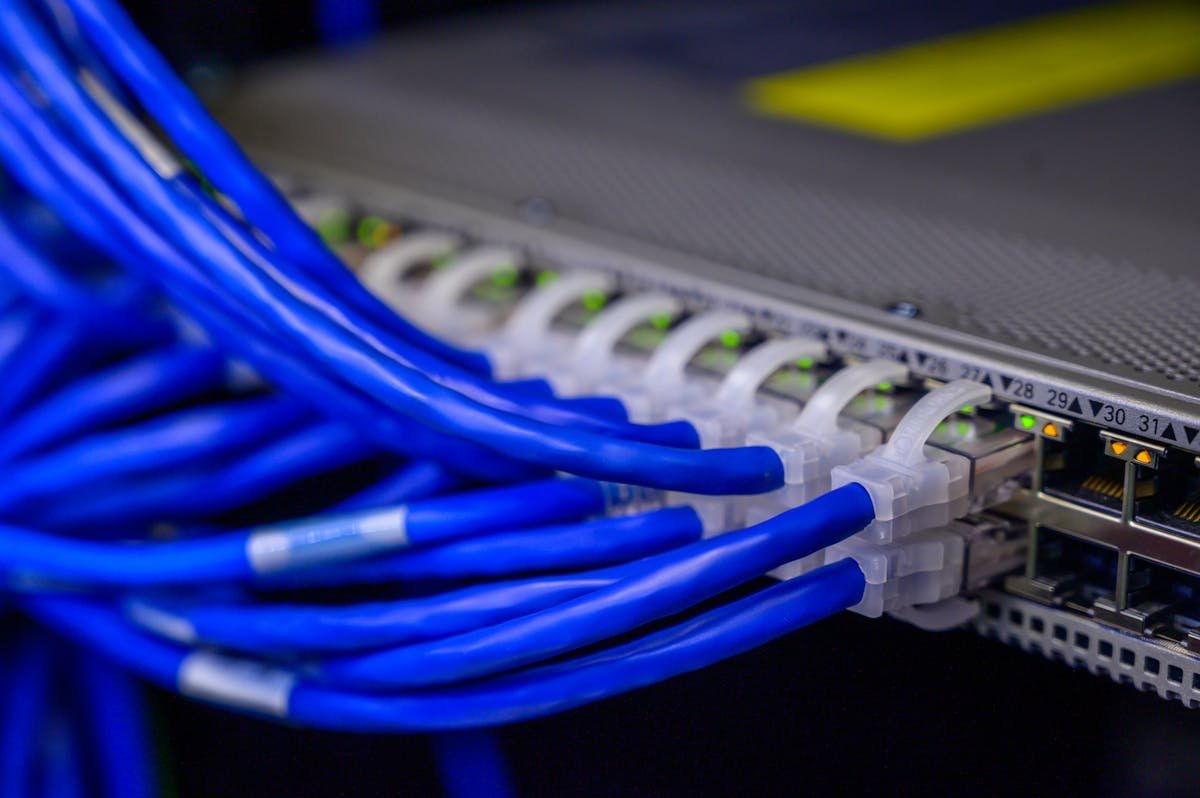
Your Home Router Might Be Part of a Botnet Right Now — 14,000 Devices Just Got Caught
I want you to do something right now. Walk over to your router. Look at it. That little blinking box sitting on a shelf, quietly doing its job, covered in a thin layer of dust you have been meaning to clean. Now consider the possibility that it is not just routing your Netflix traffic and your kid's homework — it might also be routing traffic for cybercriminals.
Sound dramatic? It is not. As of this week, cybersecurity researchers at Lumen's Black Lotus Labs have confirmed that a new malware strain called KadNap has quietly infected over 14,000 routers — primarily Asus models — and turned them into a proxy botnet. More than 60% of the infected devices are in the United States. Your router might literally be one of them.
I have been covering cybersecurity for eight years, and botnets are not new. What makes KadNap different — and frankly, what made me put down my coffee and pay attention — is how it hides.
What Is KadNap and Why Should You Care?
KadNap is not your typical router malware. Most botnet malware connects infected devices to a central command-and-control (C2) server. Take down that server, and the botnet crumbles. Law enforcement has gotten pretty good at this whack-a-mole game over the past decade.
KadNap does not play that game. Instead, it uses a custom version of the Kademlia Distributed Hash Table (DHT) protocol — the same type of technology used in peer-to-peer file sharing networks like BitTorrent. In plain English: there is no single server to take down. Each infected router talks to other infected routers in a mesh network, making the botnet extremely resilient.
My friend Jay, who runs a small managed IT firm in Texas, put it this way: "It is like trying to shut down a rumor. There is no one person spreading it — everyone is telling everyone else."
That is a terrifyingly accurate analogy.
What the Botnet Actually Does
Once your router is infected, KadNap turns it into a proxy node. This means:
- Criminals route their traffic through your device — making their activities appear to originate from your IP address
- Your internet connection gets slower — because bandwidth is being siphoned for malicious purposes
- If something illegal happens through your IP — guess whose door law enforcement knocks on first?
That last point is not hypothetical. I spoke with a cybersecurity attorney last year who had a client receive a federal subpoena because their compromised router was used to proxy traffic associated with a fraud operation. The client had no idea. They thought their internet was "just slow lately."
How Routers Get Infected
Here is the uncomfortable truth: most router infections happen because of us. Well, because of our laziness, specifically.
1. Default Credentials
According to a 2025 survey by the Broadband Internet Technical Advisory Group (BITAG), approximately 47% of home routers in the US still use either the factory-default admin password or a password that the user set once in 2019 and has never changed. KadNap exploits this aggressively.
I am going to admit something embarrassing: until about two years ago, my own router's admin password was "admin." Not admin123. Not @dmin2024. Just... admin. I am a cybersecurity writer. I have no excuse. Neither do you.
2. Unpatched Firmware
When was the last time you updated your router's firmware? If you said "never" or "what is firmware?", you are in the majority. A 2024 Fraunhofer Institute study found that 83% of home routers run firmware with known security vulnerabilities. Some devices were running firmware that was five or more years out of date.
Router manufacturers share some blame here. Firmware update processes are often clunky, buried in menus, and sometimes require you to download a file from a website and manually upload it. It is 2026 — this should be as simple as updating your phone.
3. End-of-Life Devices
This is the one that gets me. Your router has a support lifecycle, just like your phone or laptop. When it reaches end-of-life (EOL), the manufacturer stops releasing security patches. But the router still works, so you keep using it.
Many of the KadNap infections are on older Asus models that are either EOL or approaching it. The router works perfectly fine for internet access — it just has unpatched vulnerabilities that might as well be an open front door.
How to Check If Your Router Is Compromised
Here are the signs, from obvious to subtle:
Red Flags
- Unexplained slowness — particularly upload speed degradation (botnets use your upload bandwidth)
- Strange DNS settings — log into your router admin panel and check if the DNS servers have been changed to ones you do not recognize
- Unknown devices on your network — check the connected devices list for anything you cannot identify
- Unusual outbound traffic — if you have a network monitor (even a free one like GlassWire), look for consistent outbound connections to unknown IPs
The Nuclear Option (Recommended)
Honestly? If you suspect your router might be compromised, the safest approach is:
- Factory reset the router (usually a small button you hold for 10-15 seconds)
- Update the firmware IMMEDIATELY before connecting anything
- Set a strong, unique admin password (not the default)
- Disable remote management (WAN access to the admin panel)
- Disable UPnP unless you specifically need it
Will this fix everything? For most consumer botnets, yes. KadNap specifically does not survive a factory reset because it lives in volatile memory — it does not persist across reboots. But if your firmware is still vulnerable, reinfection can happen within hours. So update that firmware first.
Why This Keeps Happening
I am going to get on my soapbox for a minute here, because this problem is fundamentally a market failure.
When you buy a router, you pay once. The manufacturer has very little financial incentive to keep supporting it for years. Security patches cost money to develop, test, and distribute. For a $80 router the company already sold, there is no revenue stream to justify ongoing security investment.
Compare this to your smartphone. Apple and Google provide 5-7 years of security updates because they make money from your ongoing engagement with the ecosystem. Your router manufacturer makes money from selling you the next router.
The FCC has been making noises about requiring minimum security standards for consumer routers since 2023, and the voluntary U.S. Cyber Trust Mark program launched in early 2025. But adoption is slow. My colleague Rachel, who reviews networking hardware, told me that as of January 2026, fewer than 15% of consumer routers sold in the US carry the Cyber Trust Mark.
"It is a step," she said. "A baby step. On a very long staircase."
What You Should Do Right Now
I am not going to give you a 47-step hardening guide. If you do just these five things, you will be ahead of 90% of households:
- Change your router admin password — right now. Not tomorrow. Not this weekend. Now. Use something unique that you store in a password manager.
- Update your firmware — go to your router manufacturer's website, find your model, download the latest firmware, and install it. Yes, it is annoying. Do it anyway.
- Check if your router is still supported — search "[your router model] end of life" or check the manufacturer's support page. If it is EOL, start budgeting for a replacement.
- Disable remote management — unless you specifically need to access your router's admin panel from outside your home (you probably do not), turn this off.
- Restart your router periodically — many bot malware families, including KadNap, do not survive reboots. A monthly restart is a simple, free layer of defense.
Look, I know this is not glamorous. Nobody posts on social media about updating their router firmware. But 14,000 people right now are unknowingly running a criminal proxy out of their living room. The fix takes 15 minutes.
If you want to check whether your IP has been flagged in any botnet activity, you can use free tools like AbuseIPDB or Shodan. It is not a perfect check, but it is a start.
📚 Related reading:
— Perspective from managing production access and credentials for multiple web properties and 50+ client systems at Warung Digital Teknologi (wardigi.com) over 11+ years.
Found this helpful?
Subscribe to our newsletter for more in-depth reviews and comparisons delivered to your inbox.
Related Articles